October 5, 2026 · 10 min read · Updated October 8, 2026
LinkedIn product updates: October 2026
Advertising items are based on LinkedIn's October agency product update, with links to public documentation where available. Rollout dates are estimates, and access varies by account.
October brings a higher daily spend allowance, new measurement options, premium video changes and access-limited betas, alongside AI job search and mobile video updates.
Garret Caudle, Founder, Influent

Short answer
October's LinkedIn updates include a daily spend allowance rising to 2x the configured daily budget, a 100,000-member minimum for Reserved Ads, more conversion signals, and new Premium Company Page tiers. Premiere video, right-rail placements and the AI/creator tools have different beta, alpha or account-access requirements. The month also includes AI job-search and mobile-video interface changes.
Key takeaways
- LinkedIn's daily spend allowance is moving from 1.5x to 2x the daily budget, and configured budgets and schedules do not change.
- Reserved Ads now accept smaller audiences (100,000 members), but Premiere video still requires a managed account and a $50,000 minimum reservation budget.
- Availability labels matter: some features are live, some are rolling out, and account-team betas are not general release.
- LinkedIn is gradually retiring classic job search in favor of AI-powered, natural-language job search.
- AI search needs context about companies, and executive posts are one of the richest sources of it, so leader content will increasingly influence recruiting.
- A new LinkedIn logo now covers roughly the top 15 percent of mobile videos.
- Keep faces, captions and text clear of the top, center play button, right-side icons and bottom caption bar.
Most of October's LinkedIn changes are about advertising: daily spend can now reach twice the daily budget, Reserved Ads accept smaller audiences, and measurement gets new signals. Outside ads, LinkedIn is retiring classic job search in favor of AI search, and a LinkedIn logo now sits over the top of mobile videos.
The most important thing to check for each item is availability. Some are live, some are rolling out, and some need approval from a LinkedIn account team.
October at a glance
| Update | Status | Who it affects |
|---|---|---|
| Daily spend up to 2x the daily budget | Rolling out through October | All advertisers |
| Reserved Ads minimum audience drops to 100,000 | In effect | Managed accounts with a $50,000+ reservation budget |
| Premiere Video Ads | Public beta | Managed ad accounts |
| New Conversions API signals | Available for eligible categories | Teams using Conversions API |
| Sponsored Messaging impressions and clicks | Expected from mid-October | Sponsored Messaging advertisers |
| Premium Company Page tiers | Rolling out through January 2027 | Company Page admins |
| Sponsored Content on the right rail | Public alpha | Eligible Sponsored Content campaigns |
| Marketing Assistant, MCP Server, Creator Discovery | Beta, approval required | Nominated advertisers and developers |
| AI-powered job search | Gradual rollout since September | Job seekers and hiring teams |
| LinkedIn logo on mobile video | Live | Anyone posting video |
Daily ad spend can reach twice the daily budget
The change. The maximum daily spend allowance is moving from 1.5x to 2x the daily budget. The rollout starts in early October and is expected to finish by the end of the month. Your configured budget does not change.
Does it matter. Yes, especially when someone reviews spend one day at a time. A $100 daily budget can now spend $200 on a given day. LinkedIn's budget documentation explains that daily budgets are paced across the applicable schedule: a continuous daily-budget campaign remains capped at seven times that budget per Monday-to-Sunday week.
What to do. Update pacing alerts and explain the change before a client sees a daily spike. Check the campaign's budget type and schedule rather than treating the daily number as a hard daily cap.
Premium video gets a smaller audience threshold
The change. Premiere Video Ads entered public beta for managed ad accounts on September 28. Eligible advertisers can select the format when creating a Reserved Ad without a nomination form. Separately, the minimum Reserved Ads audience has fallen from 500,000 to 100,000 members, and the 10,000-member matched-audience minimum for exclusions has been removed.
Does it matter. The smaller audience requirement makes reserved inventory relevant to more focused B2B markets. It still has a substantial entry cost: LinkedIn's Reserved Ads requirements currently specify a $50,000 minimum reservation budget and a managed account with a dedicated representative.
What to do. Consider it for a major launch or brand campaign if the audience and budget fit. Premiere video is a mobile-app placement bought through Reserved Ads. Public beta does not mean every advertiser has access.
More conversion signals, and a Sponsored Messaging reporting change
The change. Conversions API now supports hashed IP addresses, hashed first and last names, and a 180-day conversion lookback for eligible conversion categories. Separately, new Sponsored Messaging impression and click metrics are expected to start rolling out around mid-October (an estimate). Sends and opens remain.
The API schema lists hashed-name support from version 202609 onward; the conversion-window documentation limits longer windows to eligible categories such as leads and purchases.
Does it matter. Additional match signals can help teams investigate measurement gaps. The messaging change also means a movement in reported CPM, CPC, CTR, reach or frequency may reflect a reporting change, so comparisons across formats need care.
What to do. Have the team responsible for Conversions API review the new options against its implementation and approved data practices. For Sponsored Messaging, record when the new metrics appear and check their definitions before comparing them with older reports or Sponsored Content.
Premium Company Pages add Essentials, Plus and Pro
The change. LinkedIn is rolling out three Premium Company Page tiers, with rollout beginning in September and continuing through January 2027. Its public plan comparison covers audience insights, executive-leader tracking, follower growth and richer Page presentation, with features and limits varying by tier.
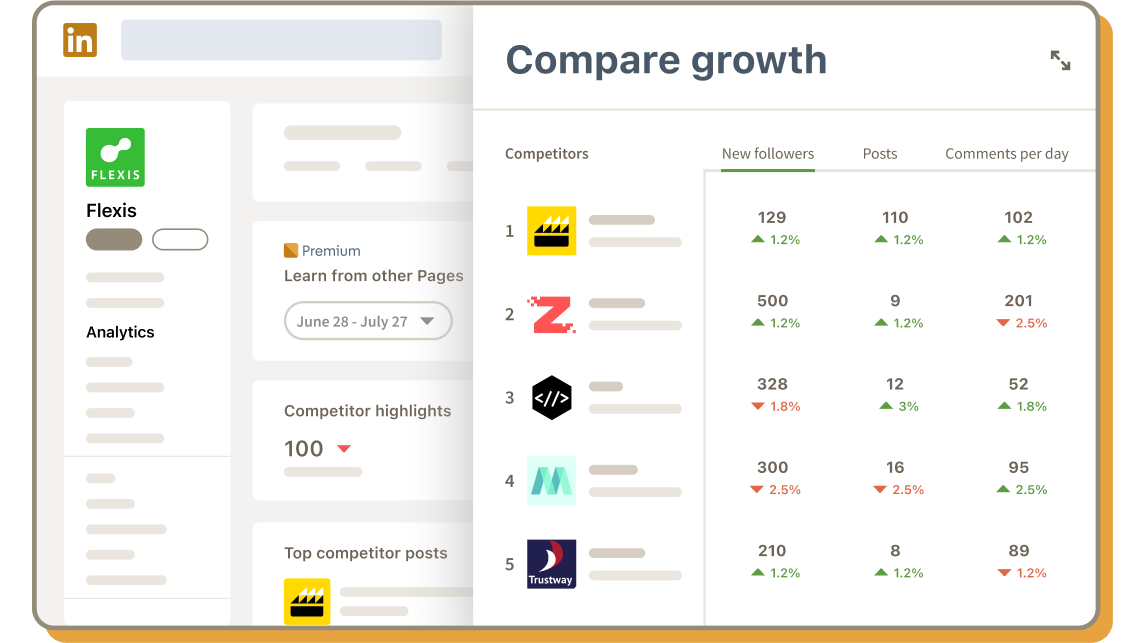
Does it matter. Executive-post analytics are worth a look for teams that already run a leadership content program. A paid Page subscription only earns its place if the available features answer a question or replace work your team is doing.
What to do. Check the plan and features actually available to your Page. Compare those with your current reporting and publishing needs before upgrading.
Sponsored Content on the right rail is still an alpha
The change. In a public alpha available across ad accounts, eligible Sponsored Content campaigns can opt in or out of right-rail delivery, and some may be selected by default. Right-rail impressions are free during the alpha; in-feed delivery is billed normally.
Does it matter. It is an additional placement to test, with creative that may render differently. This is not a promise of free campaigns, and the announcement does not establish eligibility for every ad format or Thought Leader Ad.
What to do. Check the placement setting and campaign eligibility, review how the creative renders, and record when you enable it. Ask your LinkedIn account team about alpha requirements before building a plan around it.
Three betas to watch
These are access-limited tests. LinkedIn says alpha and beta participation should be evaluated with your dedicated account team.
- Marketing Assistant: nominations are open for US advertisers to test reporting, campaign management, edits and bulk actions.
- LinkedIn MCP Server: approved developers can connect AI agents to select official LinkedIn Marketing APIs. This is a beta integration path, not general access to automate LinkedIn.
- Creator Discovery: the beta launched October 1 for approved brands, with nominations open for future waves. Search criteria include expertise, audience makeup, format, industry and professional background.
For B2B teams, Creator Discovery is the one to watch for finding relevant expert voices; the two AI tools are worth evaluating if reporting or campaign operations are a bottleneck. Ask about access before committing a workflow to any of them.
Smaller operational updates
- Sponsored Messaging copy: Campaign Manager can draft or rewrite message copy and subject lines. LinkedIn's help page says Draft with AI currently requires English as the ad-set language. Review the result for accuracy and voice.
- Smartly: the LinkedIn integration is live for campaign creation, management, automation and reporting, including creative tools. A Smartly account is required. Smartly's announcement describes the creative and campaign integration.
- CTV controls: DoubleVerify's DV Authentic Brand Suitability now offers pre-bid genre and maturity-rating controls for supported buying paths, currently Campaign Manager and The Trade Desk. Teams buying CTV should review those settings against their brand-suitability requirements.
Classic job search is being retired for AI search
The change. LinkedIn is showing job seekers a notice: "We're gradually retiring classic job search starting in September. Try AI-powered job search and describe the role you want in your own words." Filter-based search is giving way to natural-language discovery.
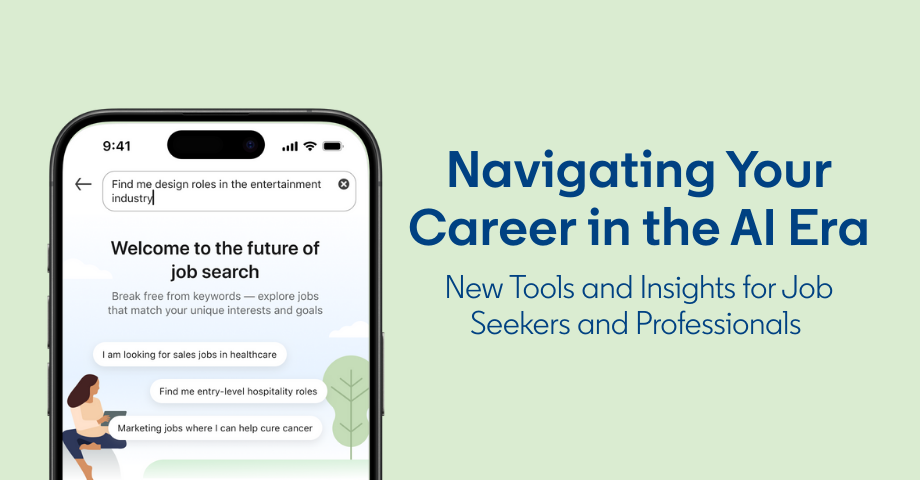
Does it matter. Not directly for executives today, but it is a strong signal. To match a candidate who types "a fast-growing fintech where engineers ship weekly", LinkedIn needs context about who a company is, what it does, how it operates and what it is hiring for. Job descriptions alone do not supply much of that. Posts from founders and executives supply a lot of it.
What to do. Treat executive content as part of your employer brand. Have leaders write specifically about how the team works, what it is building and what kind of people succeed there. As AI search rolls out, posts like these are likely to shape which candidates find the company, in the same way they already shape which buyers do.
A new LinkedIn logo on mobile video
The change. On the mobile app, LinkedIn has added a small LinkedIn logo across roughly the top 15 percent of every video. Creator Heike Young spotted it and mapped every area where LinkedIn's interface now sits on top of video: the back arrow and new logo at the top, the play button in the center, the like, comment, share and save icons down the right side, and the author name and caption across the bottom.
Does it matter. A little. Most videos keep the top of the frame clear already, but any text box or caption placed there is now partly covered. The center matters more than people assume: many members have autoplay turned off, so they see a play button sitting over the middle of the frame.
What to do. Keep faces, captions and on-screen text out of those zones. Put captions in the band between the center and the bottom overlay, and keep the speaker's face slightly above or offset from dead center. The likely motive for the logo is branding when people screenshot videos and share them elsewhere, so expect it to stay.
The through line
For teams running LinkedIn programs, the immediate work is practical: explain daily spend variation, check reporting definitions, and verify account eligibility before promising a new placement or workflow. The content and video updates above still matter, but the advertising changes deserve a place in this month's operating checklist.
For previous months, see the September 2026 and August 2026 recaps, or the running log of LinkedIn algorithm and platform updates in 2026.
Questions
Frequently asked questions
- Can LinkedIn spend more than my daily budget?
- Yes. LinkedIn is moving the maximum daily spend allowance from 1.5x to 2x the daily budget, with the rollout running through October 2026. A $100 daily budget can spend up to $200 on a given day, but your configured budget does not change: a continuous daily-budget campaign remains capped at seven times that budget per Monday-to-Sunday week.
- Are all October LinkedIn updates available to every advertiser?
- No. Some changes, such as the higher daily spend allowance, are rolling out to ad accounts generally. Premiere Video Ads is in public beta for managed ad accounts, and Reserved Ads still require a dedicated representative and a $50,000 minimum reservation budget. The Marketing Assistant, LinkedIn MCP Server and Creator Discovery programs require nomination or approval, so access is limited.
- Is LinkedIn getting rid of classic job search?
- Yes. LinkedIn says it is gradually retiring classic job search starting in September 2026 and moving members to AI-powered job search, where they describe the role they want in their own words.
- How does AI job search affect executive content on LinkedIn?
- Natural-language job search needs context about what a company does, how it operates and what it is hiring for. Posts from founders and executives provide much of that context, so consistent executive content is likely to influence which candidates find a company.
- What are the LinkedIn video safe zones?
- On mobile, LinkedIn's interface covers the top of the video (back arrow and a new LinkedIn logo across roughly the top 15 percent), the center (play button for members with autoplay off), the right side (reaction, comment, share and save icons) and the bottom (author name and caption). Keep faces, captions and key text out of those areas.
A weekly newsletter is coming
Garret’s original thinking on attention, credibility and distribution. Email signup is being updated.
About the newsletterWork with us
Ready to dominate LinkedIn?
Influent builds and runs executive LinkedIn programs for category-leading B2B companies.